Say Goodbye to Copy-Paste!
We know you love adding a splash of personality to your Word Art. Whether it’s a classic heart or a perfectly timed taco, emojis make your designs pop. However, we also know that the old way of adding them was… well, a bit of a marathon.
Up until now, if you wanted to use an emoji, you had to:
- Leave your project.
- Navigate to a separate emoji code page.
- Hunt down the right symbol and copy the code.
- Jump back to your Word Art and paste it into the list.
That’s a lot of tabs for one tiny smiley face.
Direct Access, Zero Friction
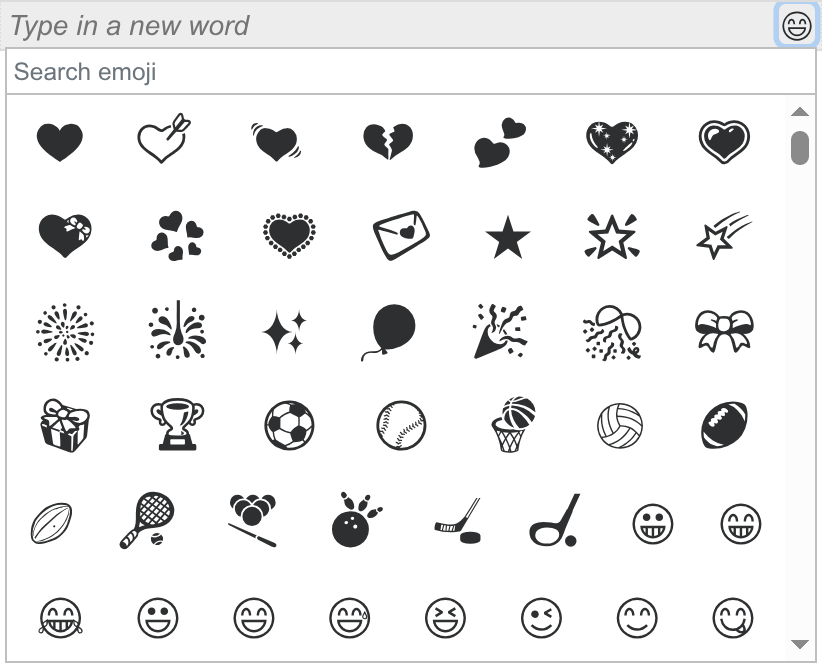
We’ve officially streamlined the process. We are thrilled to introduce the Integrated Emoji Picker, built directly into your input field!
Now, you can browse, search, and select your favorite emojis without ever leaving the "Words" list. Just click the emoji icon in the input bar, find what you need, and it drops right into your design instantly.
Why You’ll Love It:
- Faster Workflow: Go from "idea" to "art" in seconds.
- Stay in the Zone: No more switching tabs and breaking your creative flow.
- Full Library: Access the complete range of emojis directly within the tool.
Give it a Spin!
The next time you’re crafting a masterpiece, look for the new icon in the text box. It’s a small change that makes a huge difference in how you create. We can't wait to see what you design!
Comments (1)
Hi! Nice! It's not working with safari Browser, i changed to Chrome, now i have fun!
Comments are closed.